
Screenless vs screened granulator RFQ guide: what sprue-and-runner buyers should confirm before ordering knives
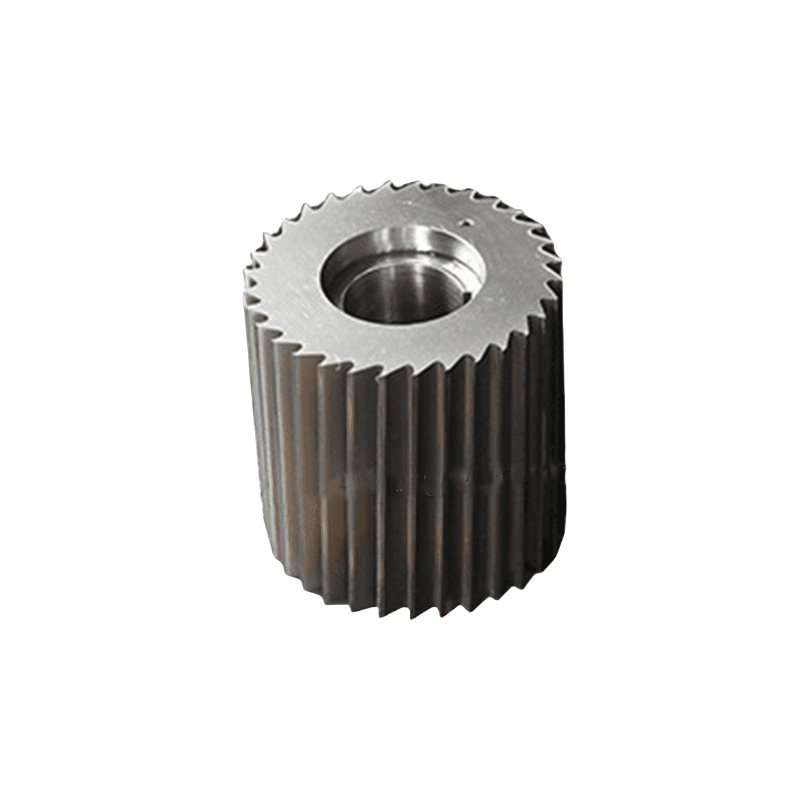
If a sprue-and-runner replacement inquiry starts with only the visible cutter dimensions, the buyer is often describing the worn part while hiding the real commercial question. Official OEM pages keep separating screenless low-speed reduction from screened scissor-cut granulation because they are not the same buying problem. The safer RFQ usually starts by naming which machine route is really under review.
Buyer conclusion first: when the line is built around low dust, quiet machine-side recycling, easier cleaning, and low-speed rotor-side cutting, the safer quote often begins with the screenless family. When the line is built around screened scissor cutting, bed-knife control, and a tighter particle window, the safer quote often begins with the screened granulator family instead. Conair's S Series, Rapid OneCUT PRO, WITTMANN's granulator overview, and ZERMA's slow-speed page all frame that low-speed route clearly. Rapid's 200 Series, Conair's 6 Series Viper, and WITTMANN's G-Max XL article frame the screened route just as clearly.
Machine-stage fit: if the buyer names the wrong route, the supplier can still match a visible part and still miss the real complaint. That is why this article stays commercial. It is not about writing a machine manual. It is about preventing a bad RFQ from becoming a second bad reorder.
RFQ criteria: send the machine brand and model, state whether the unit is screenless or screened, include one measured photo of the visible cutter, one installed chamber or rotor-pocket photo, the feed description, and the actual complaint. Before sending the inquiry, compare our new screenless sprue-runner application guide, the general injection-molding guide, the rotor-and-hob cutter solution page, the granulator knife-gap checklist, and the contact page.

Why "screenless versus screened" is one real commercial buying problem
Buyers often treat screenless and screened machine-side recycling as if the choice matters only when buying a new machine. Official OEM pages say otherwise. They repeatedly separate the two routes in the way they describe feed type, cutting principle, dust level, service access, and regrind behavior. That makes the comparison commercially relevant for aftermarket replacement knives as well.
Conair's S Series uses screenless, ultra-low-speed language for consistent granules with very low fines and longs. Rapid's OneCUT PRO sheet frames the rotor-side cutter family and service access around a screenless low-speed concept. By contrast, Conair's 6 Series Viper and Rapid's 200 Series describe screened machine-side granulators built around replaceable knives and standard granulation logic. Those are different RFQ starting points.
That is why the safer buyer workflow is to name the route first. The line is not only asking for "sprue-runner knives." It is asking for the cutter family that matches a specific machine concept.
What the official OEM pages actually signal to buyers
WITTMANN's granulators overview is useful because it places G-Max beside-the-press recycling and S-Max screenless recycling inside different machine-family logic. Its G-Max XL article adds open 3-blade rotor logic, gap pre-adjustment outside the chamber, and clean scissor cutting for warm parts. That is screened or scissor-cut buyer language.
ZERMA's slow-speed page and Conair's screenless granulator manual point the buyer the other way: low rotor speed, low dust, easier knife maintenance, and a rotor-side cutter family that is more specialized than a standard straight-knife set. Rapid OneCUT PRO then reinforces the same logic through its screenless, low-speed positioning.
These sources agree on one practical point. The machine route should be visible in the RFQ before the supplier is asked to price the replacement part.
When the first email should start with the screenless or low-speed route
The first email should start with the screenless route when the line is clearly built around low-dust sprue handling, quiet beside-the-press operation, easy cleanout, and a specialized rotor-side cutter family. That usually means the buyer should describe the rotor style, the visible insert or hook format, the pocket geometry, and the current bite or fines complaint before asking for price.
This is also the safer route when the visible wear is on inserts, hooks, hob-style cutters, or rotor-side elements that do not behave like a standard straight rotor knife. If the machine family itself is specialized, the RFQ should say so instead of collapsing back into a general granulator-blade request.
For buyers, that means the first message should say what the machine is meant to do now: low-dust sprue reduction, warm-part handling, easier cleanout, or lower maintenance burden beside the press. That short note often matters more than a longer dimensions sheet with no machine-family context.
When the first email should start with the screened granulator route
The first email should start with the screened route when the line already depends on scissor cutting, a defined bed-knife side, and screened output behavior for cleaner or more controlled regrind. In that case, the relevant buyer conversation shifts toward the granulator-knife family, the bed-knife side, and the current chamber or gap condition.
Rapid's 200 Series, Conair's 6 Series Viper, and WITTMANN's G-Max XL article all support that buyer logic. Once the complaint is already dust, hotter regrind, long pieces, chamber noise, or unstable output after a knife change, the fixed side and gap control belong in the RFQ as well.
This is where buyers often lose time. They quote the visible moving part only, then discover that the bed side, chamber seat, or gap behavior was part of the complaint all along. Commercially, the safer screened-granulator quote is usually the one that includes the cutting-pair context before the purchase order is cut.
What buyers should send before asking for price only
The fastest low-risk RFQs combine visible geometry with machine-route evidence. Send these items in the first message where possible:
- Machine brand and model, plus whether the unit is screenless or screened.
- Feed description: short PP runners, ABS or PC sprues, warm reject parts, startup scrap, or a mixed machine-side stream.
- One front photo with a ruler, one side-profile photo, and one installed chamber or rotor-pocket photo of the visible cutter.
- Current symptom: weak bite, more fines, longer cleanout, hotter regrind, noisy cutting, longer pieces, or short knife life.
- Fixed-side or bed-side evidence if the machine is screened or if chamber behavior is already part of the complaint.
- Whether the request is direct replacement, a validation batch, or a wider machine-stage review.
That is the minimum evidence that keeps an aftermarket quote tied to the real production problem. A loose cutter photo without the route context may still produce a budget number, but it often does not produce the safest production answer.
Common buyer mistakes on screenless-versus-screened RFQs
The first common mistake is sending only the worn-part dimensions while hiding whether the machine is screenless or screened. The supplier can match the part and still miss the real machine family.
The second common mistake is ignoring what changed in the feed. Hotter sprues, thicker runners, more reject parts, or a resin change can move the job away from the old safe starting point even if the machine model is the same.
The third common mistake is quoting a screenless rotor-side cutter as if it were a standard flat granulator knife, or quoting a screened scissor-cutting job without any fixed-side evidence. Both mistakes are common, and official OEM pages point away from both of them.
Practical selection notes for buyers, dealers, and service teams
The safest quote structure separates the request into three levels. Level one is direct replacement because the route, the feed, and the output target are unchanged. Level two is route-specific cutter review because the complaint now includes fines, bite loss, difficult cleaning, or chamber instability. Level three is stage-fit review because the current duty may no longer belong with the machine route the plant has been using as its starting point.
Dealers should also say whether the request is an emergency restart, a trial lot, or a planned spare program. End users should say whether the complaint is mainly dust, bite, output consistency, or maintenance frequency. Those are different buying situations, and clear machine-route language usually saves more time than a longer part table.
If you are not sure where to start, compare the screenless sprue-runner application guide, the general injection-molding guide, the rotor-and-hob cutter solution page, and the granulator gap article. That keeps the next RFQ attached to the real route and the real complaint.
FAQ
Should buyers decide screenless versus screened before they ask for a replacement-knife quote?
Yes. Official machine-maker pages describe different cutter families, feed assumptions, and output logic for those two routes, so the route decision belongs in the first RFQ message.
What if the visible wear is on a rotor insert or hook but the line also makes more fines?
That usually means the buyer should include the rotor family, installed pocket evidence, and any fixed-side or chamber complaint together instead of quoting the loose cutter alone.
When should a buyer move from a screenless quote into a screened-granulator review?
When the plant now expects tighter particle control, more throughput on larger sprues, or scissor-cut output behavior that belongs more naturally with a screened cutting pair and bed-knife discussion.
Can a supplier review both machine routes from worn parts and installed photos?
In many cases, yes. Installed photos, old-part geometry, feed description, and the current production complaint are usually enough to begin routing the RFQ correctly.
Which internal pages should buyers compare next?
Compare the screenless sprue-runner application guide, the injection-molding sprue-runner guide, the rotor-and-hob cutter solution page, the granulator gap checklist, and the contact page.
Primary sources
This article is an original buyer-side synthesis built from official sprue-runner granulator documentation. The labels stay neutral while the attribution remains in the URL.